Website chat your whole team answers
Add one script to your website and answer visitors from the same inbox as WhatsApp and email.
Questions answered on the page they ask them
Each visitor gets a contact from their first message, and every chat lands in the shared inbox.
Adom Boutique
The team usually replies in a few minutes
Type a message…
01 Answer
Answer before they leave the page
A visitor asks on the product page, and whoever is free answers from the shared inbox.
Osu Home
The team usually replies in a few minutes
Type a message…
02 Bots
A bot greets visitors first
The bot answers common questions and passes the chat to your team with everything said so far.
Kofi Bakes
The team usually replies in a few minutes
Type a message…
03 Follow up
Keep the visitor after they close the tab
If you don't have their email yet, the widget asks for it, so your team can reply by email later.
One chat button, every teammate
Your website's chat is connected once. Sales and support reply from the inbox, and every visitor shows who has them.
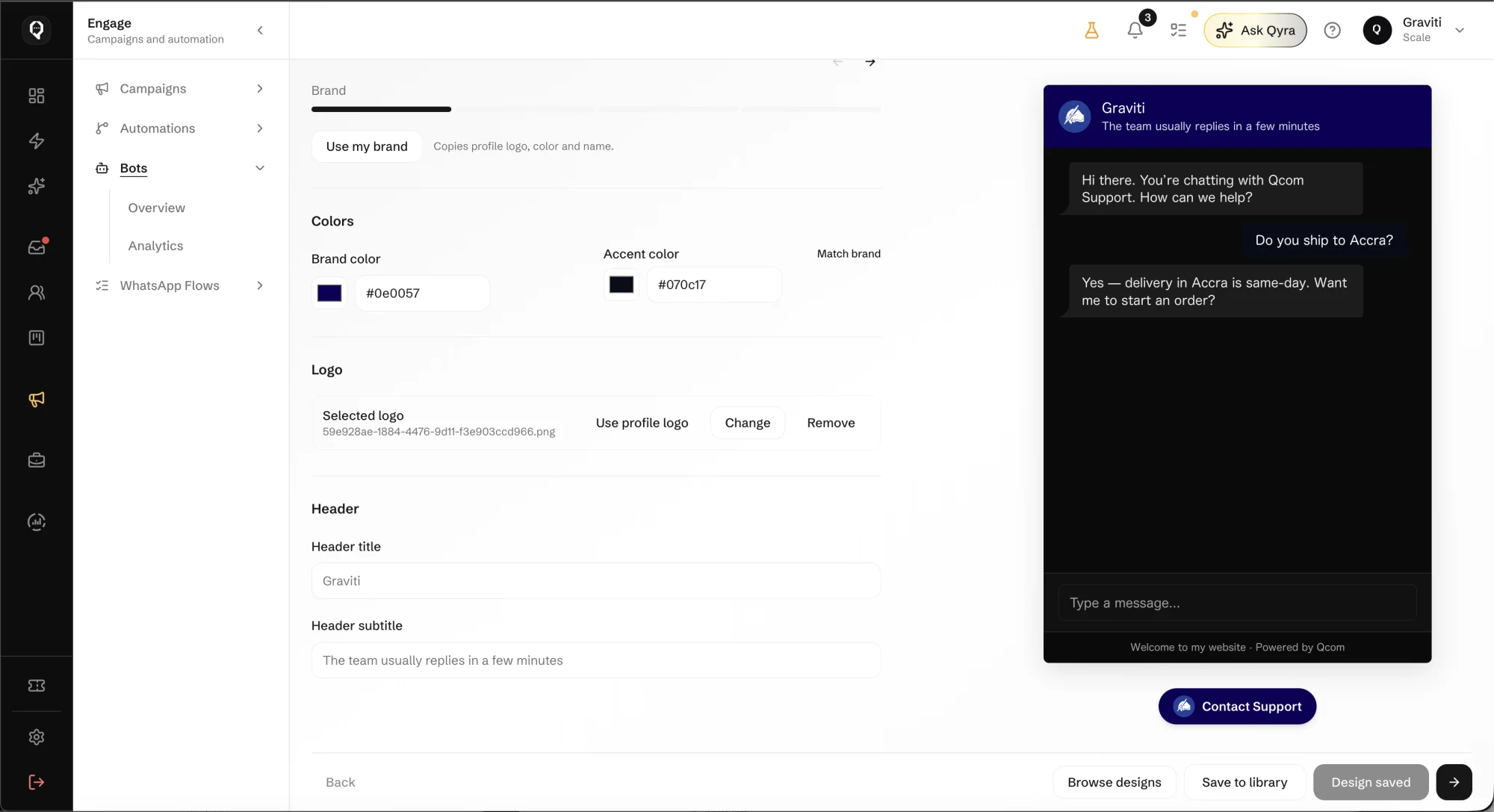
Make the chat look like your website
- Your brand
- Copy your profile logo, colour and name in one step, or choose your own brand and accent colours.
- Your header
- Set the title and the line under it, such as how quickly your team usually replies.
- A preview first
- See the widget beside the settings as you change them, then save the design for your site.
Get web chat working in Qcom
It takes your domain and one line of code. Here is how it goes.
Add your website
In Connections, add web chat and enter your site's domain.
Style the widget
Use your brand's logo and colours, and set the header, then preview it before going live.
Paste the script
Copy the script into your site's footer. The chat button appears straight away.
Choose the inbox
Attach web chat to an inbox and choose who answers it.
Web chat questions
Turn website visitors into customers
Bring website chats, contacts and follow-ups together, beside every other channel your customers use.