Follow-up that runs on its own
A new contact, an order, a tag or a booking starts the journey, and the next steps happen on time without anyone chasing.
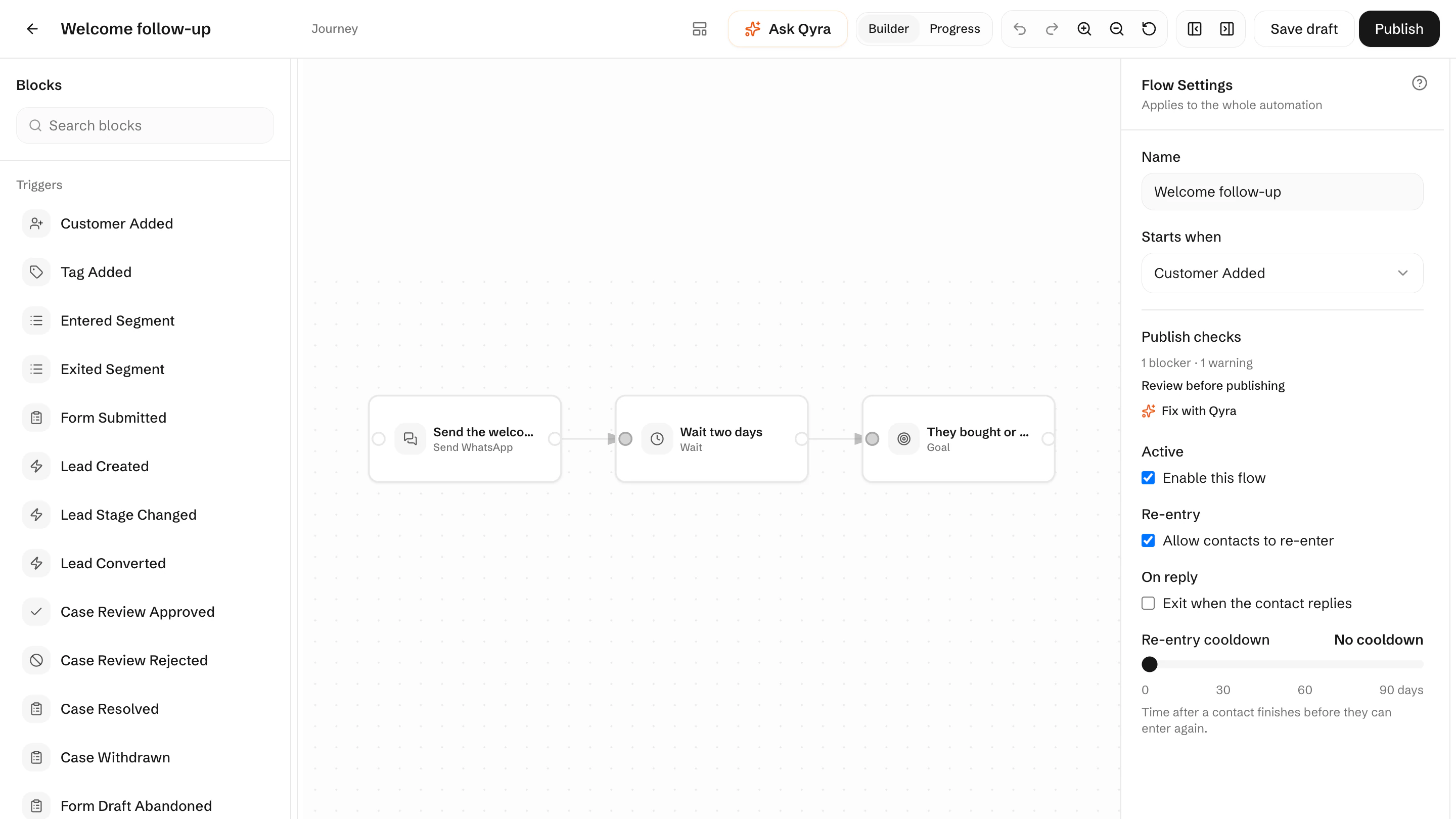
What starts a journey
- Something the customer does
- A contact is created, a form is submitted, or a tag is added to them.
- An order or booking changes
- React to a whole order or a single line, and to each change to a booking.
- A date comes round
- An invoice falls due or an appointment is near, and the follow-up starts on time.
Build the journey on a canvas
- Waits and checks
- Wait for a time or an event, then carry on only when the customer is still where you expect.
- Branches
- Send contacts down different paths by their data, what they did, or a percentage split.
- A goal to stop at
- When a contact reaches the goal, they leave the journey instead of getting more messages.
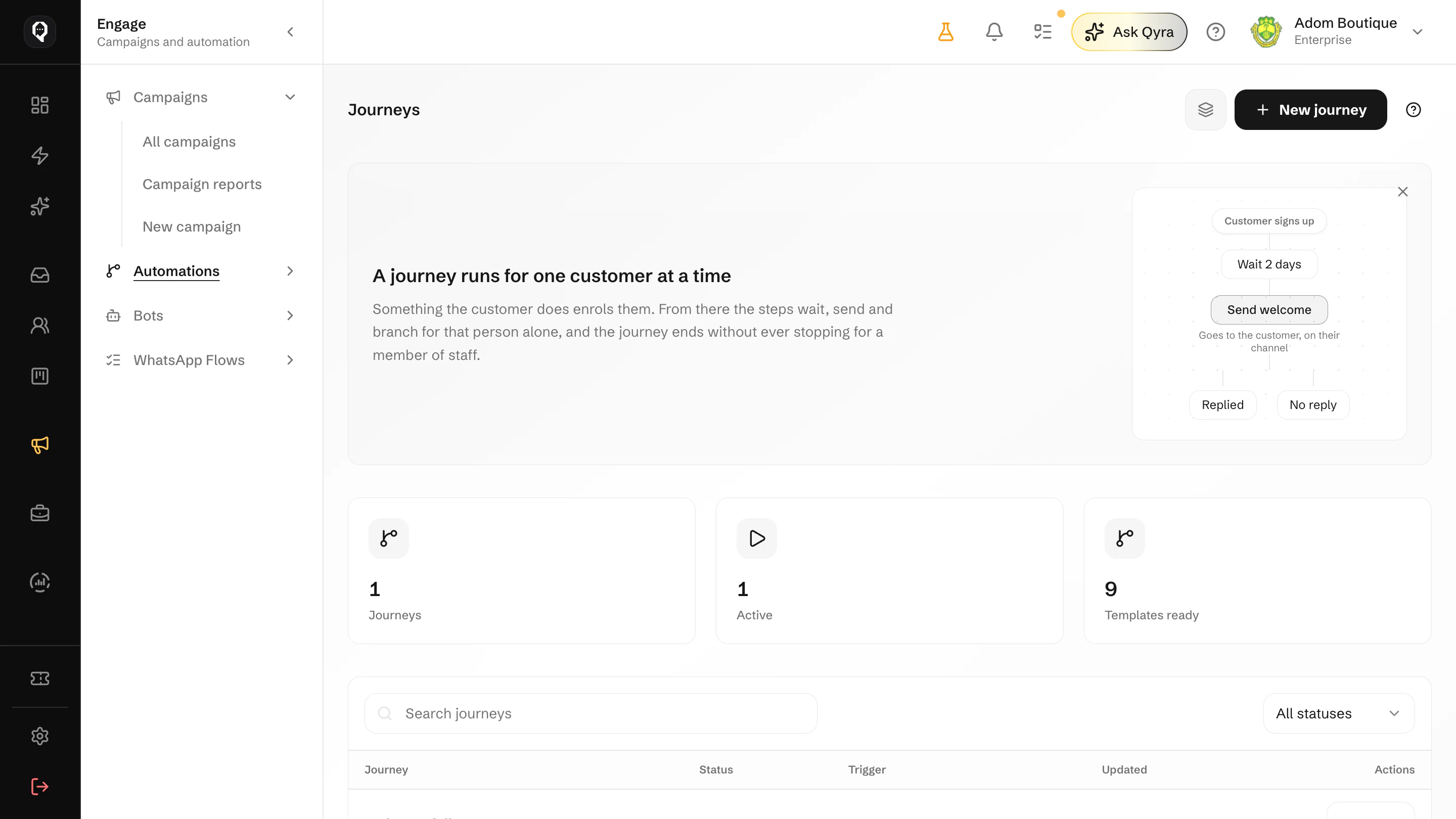
Journeys for customers, workflows for your team
Automations work in the background. Bots are different: they hold a conversation with the customer.
Customer journeys
Message sequences on a visual canvas, with waits, branches and goals.
Operations workflows
Internal work with a person in the middle, and a screen to follow each run.
Try two follow-ups
Split contacts into weighted groups to see which follow-up works better.
Start from a template
Begin with a prebuilt journey and adapt it to your business.
A trigger starts it
A contact, tag, order, booking, invoice or form starts the journey.
It waits and checks
Wait for a time or an event, then split by data, behaviour or a percentage.
It acts, then stops
Send, update, move a lead or hand a task to a person, and stop at the goal.
Let follow-up happen on time, every time
Start from a template journey and change it to fit how your business follows up.