Bots that take orders while you serve customers
Build a bot for ordering, bookings, support or feedback, publish it on WhatsApp, Web Chat, Telegram or Messenger, and hand over to your team when needed.
Mama Efua Kitchen
Bot · replies instantly
Hi! What would you like today?
2 jollof and 1 kelewele
Got it. Delivery or pickup?
Delivery
One bot for each job your chats do
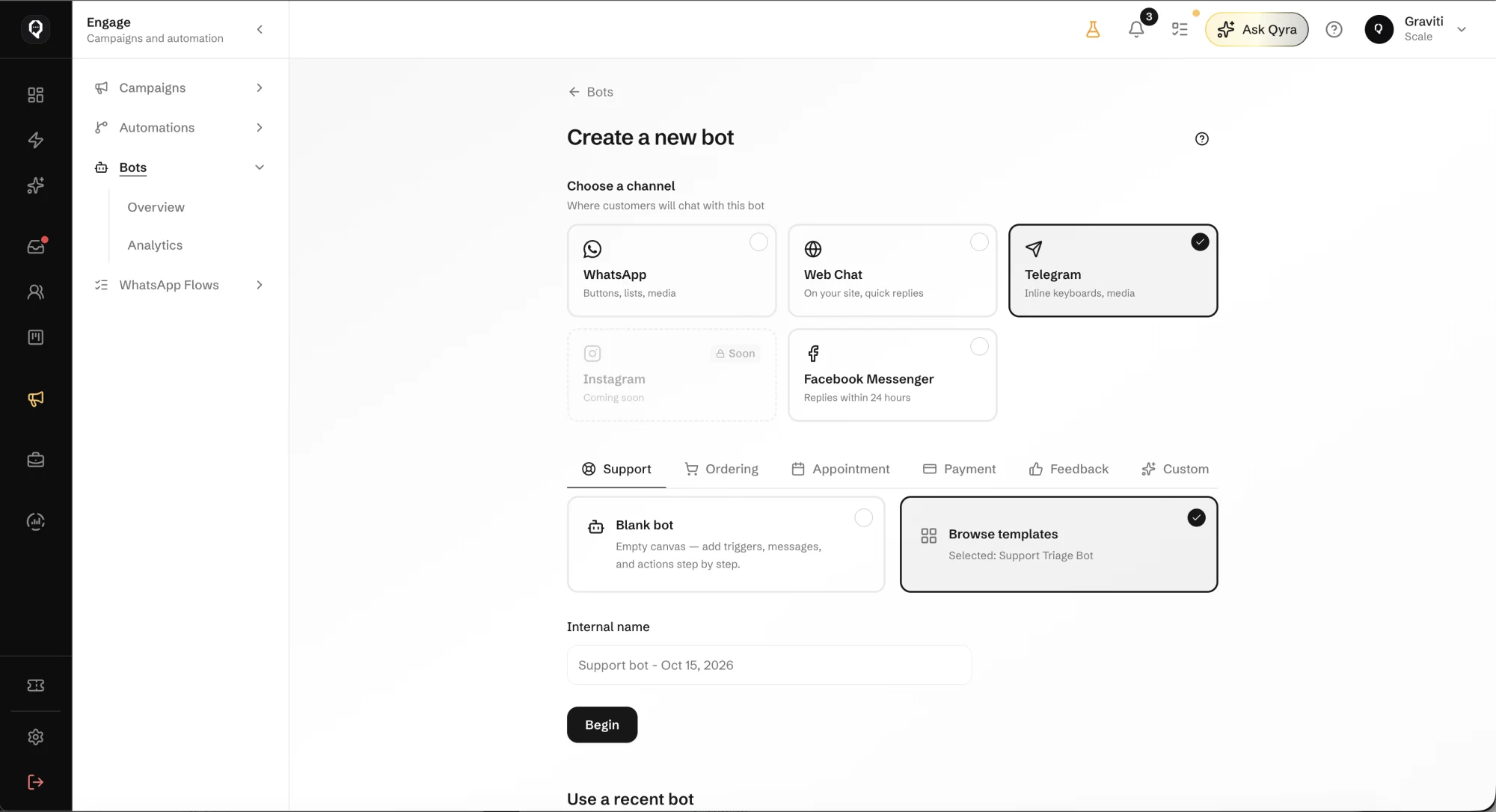
Start from support, ordering, appointments, payment or feedback, or from a blank bot, and publish it to the channel your customers use.
Mama Efua Kitchen
Bot · replies instantly
Hi! What would you like today?
2 jollof and 1 kelewele
Got it. Delivery or pickup?
Delivery
Built on the business you already run
Your channels
Publish to WhatsApp, Web Chat, Telegram or Facebook Messenger. Instagram is coming soon.
Templates or a blank bot
Start from a ready template for the job, or build step by step from an empty canvas.
Your catalog and answers
The bot answers from the items and FAQs you keep in Qcom, so prices stay current.
A person when needed
When the customer asks for someone, the chat moves to your shared inbox with everything said so far.
Analytics
See how each bot is used from the Bots analytics view.
Describe the bot, and Qyra drafts it
Tell Qyra what the bot should do and which catalog it should use. It drafts the steps and asks before anything is saved.
Build a WhatsApp bot that takes food orders from my menu and asks delivery or pickup
Qyra
Here is a draft: greet, show the menu, take the items, ask delivery or pickup, confirm the order. Review it before I save the bot?
Questions about bots
Let a bot take the first order
Start from a template, connect your catalog, and publish to the channel your customers already use.