Answer messages
Customers message your business bot
People find your bot in Telegram and write to it. Your team answers from the shared inbox, and each chat lands on the customer's record.
A
Adom Boutique
bot
Customers message your business bot, and your team answers from the shared inbox. Groups and your channel come in too.
Atelier Abena
bot
From the first message to the delivery pin, in the chat the customer already uses.
Answer messages
People find your bot in Telegram and write to it. Your team answers from the shared inbox, and each chat lands on the customer's record.
Adom Boutique
bot
Answer first
A bot greets the customer and offers choices as Telegram buttons. When a person is needed, the chat moves to your team with everything said so far.
Osu Home & Living
bot
Get the address
When an order needs delivery, the customer shares their location in one tap. The pin arrives with the order.
Kofi Bakes
bot
Groups
Add your bot to a group and its questions arrive in Qcom, so the right teammate replies.
Accra Makers Market
group · 1,240 members
Channel posts
Make the bot an admin of your channel, and its posts come into the inbox beside your other conversations.
Nala Collective
channel · 3,800 subscribers
Your Telegram bot is connected once. Sales, support and deliveries all reply from it, and nobody answers the same customer twice.
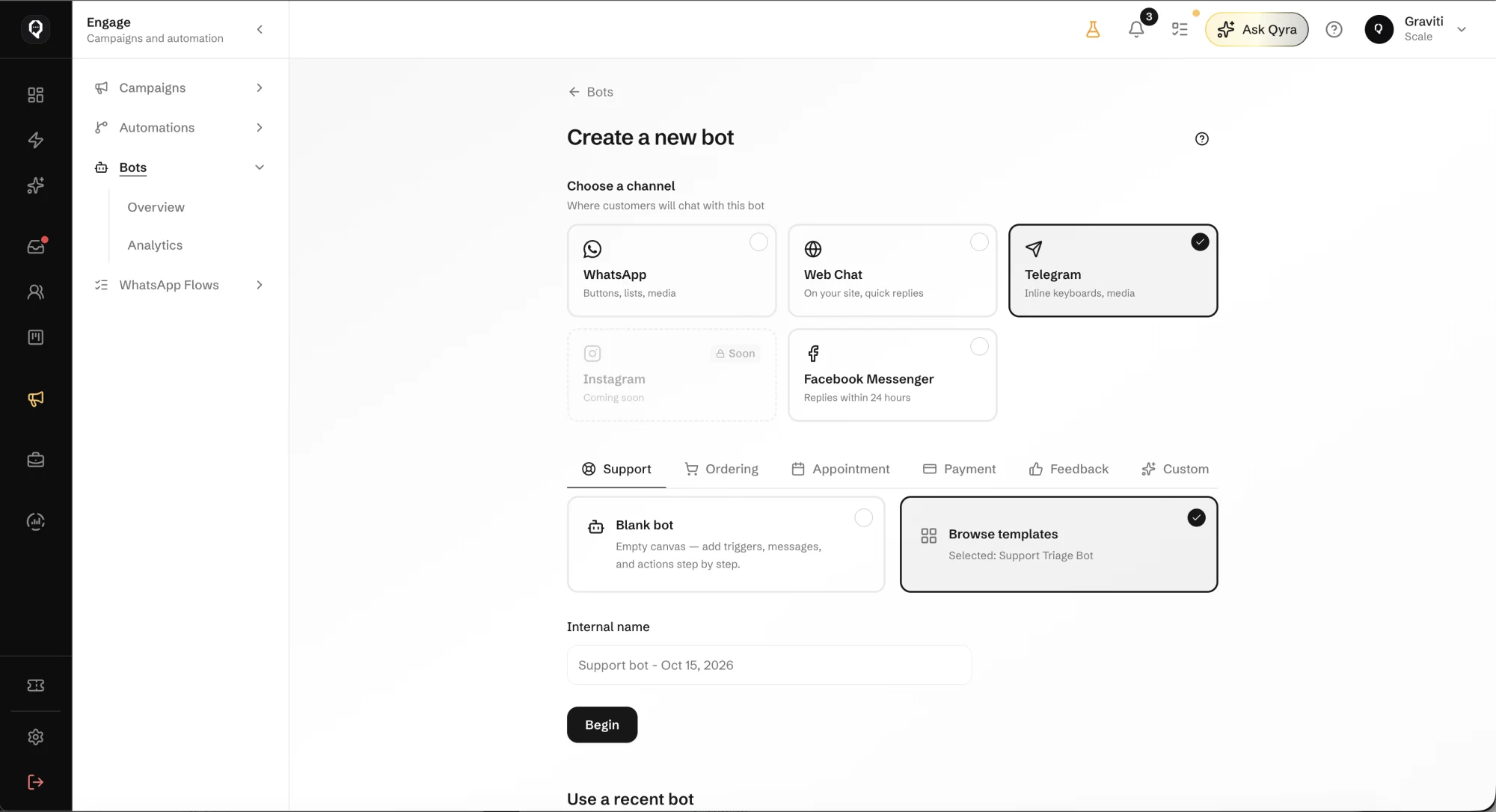
It takes a bot token and a few minutes. Here is how it goes.
In Telegram, message @BotFather, create a bot for your business and copy its token.
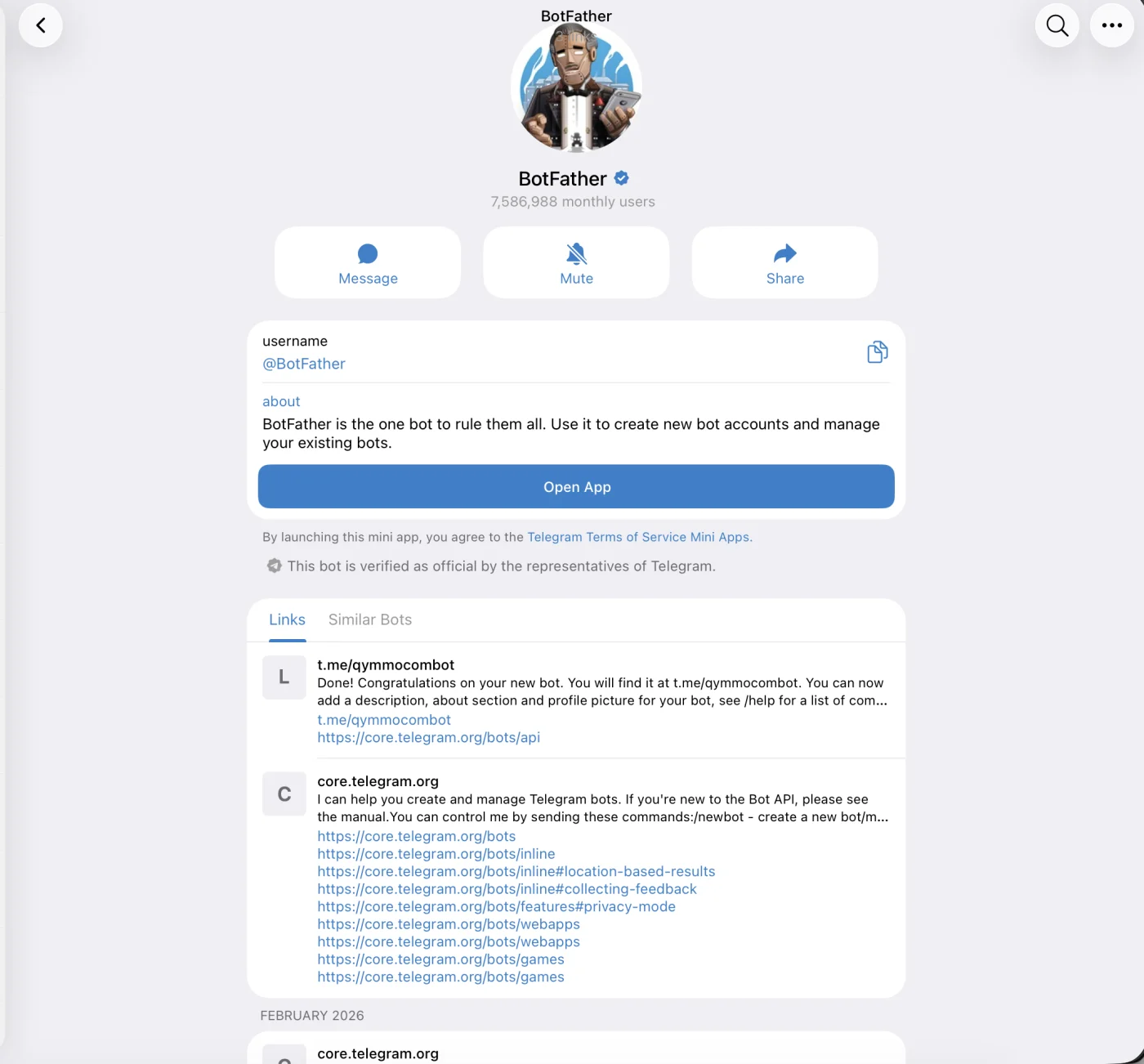
Paste the token in Connections. Qcom links the bot and starts receiving its messages.
Attach the bot to an inbox and choose who answers it.
Add the bot to groups, or make it an admin of your channel, to bring those in too.
Bring Telegram conversations, orders and follow-ups together, with the context to take the next step.